Tour 1 - Finding Units and Veterans
Introduction
UnitTimeline.com has a powerful search feature that makes it easy to identify and find units and veterans.
It's also easy to contact and engage unit leadership or individual veterans without exchanging private contact information.
This tour explains how UnitTimeline.com delivers these features.
Use these arrows to navigate to the next screen.
Search for Units
You can search for units by name. When you search by name only, exact matches and close matches are found. You don't need to enter an exact or complete name.
Search Options
You can search for units by characteristics other than name.
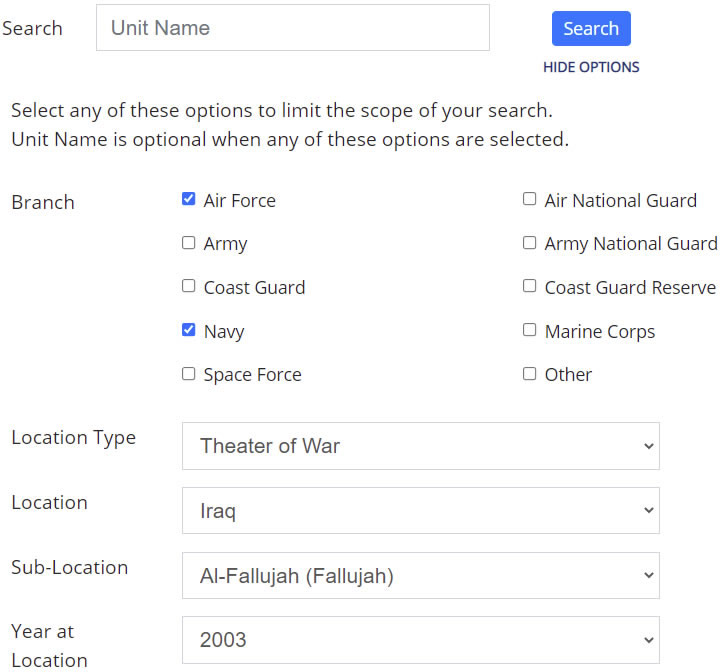
For example, you may have been deployed in a unit of the Marines and received air support from the Air Force or Navy during a particular battle. To find these people you can search for anyone in the Air force or Navy who was in a unit deployed to the same area at the same time as yourself.
You can then proceed to contact these people using UnitTimeline.com's Direct Messenger utility, which enables you to communicate in real-time without exchanging personal contact information.
Sample Advanced Unit Search
Notice the Unit Name field is blank. This search would return any Air Force and Navy units established in UnitTimeline.com who operated in Fallujah in 2003.
NOTE: This is a screen shot, not an actual search box.
Unit Search Results
The unit search results show names of the contacts for each unit found, along with options for engaging each unit.
You can request to join as a Member if you want to participate in the unit's group messaging forum, or you can request Timeline Manager status if you want to help manage the unit's history in UnitTimeline.com.
Use these arrows to navigate to the next screen.
Search for Members
You can search for members by name. When you search by name only, exact matches and close matches are found.
You can also search for veterans by nickname.
You don't need to know a full name or even a complete first or last name. You can enter only part of a name or nickname and UnitTimeline.com will show you a list of close matches.
Search Options
You can find members of UnitTimeline.com by characteristics other than name.
For example, you can find people you may have never met in person, but whom you may have shared experiences in the service.
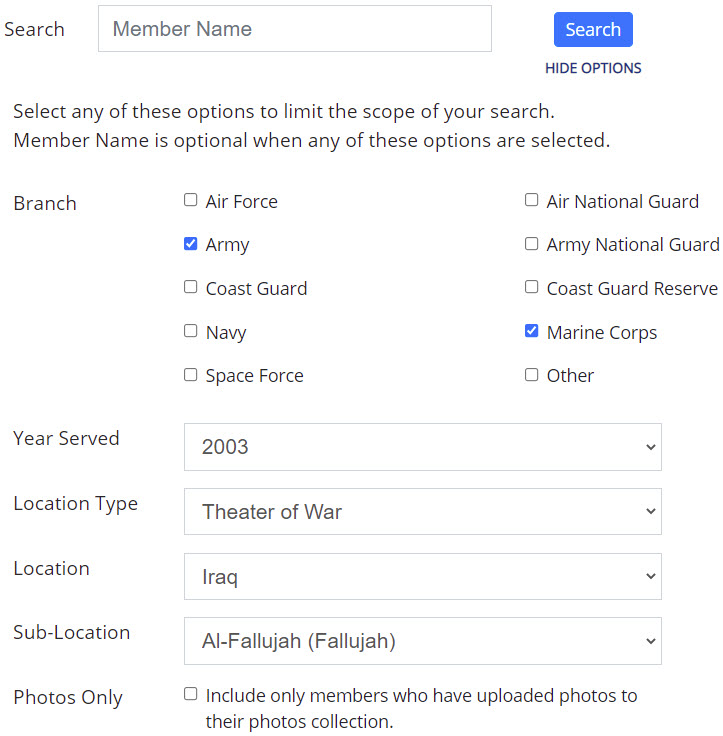
For example, you may have been deployed in a unit of the Marines, and collaborated with service members in the Army, or other units of the Marines during a particular battle. You can search for anyone in the Army or Marines who was in a unit deployed to the same area at the same time as yourself.
You can then proceed to contact these people using UnitTimeline.com's Direct Messenger, which enables you to communicate in real-time without exchanging personal contact information.
Sample Advanced Member Search
Notice the Member Name field is blank. This search would return any member of UnitTimeline.com who served in the Army or Marine Corps in Fallujah in 2003.
NOTE: This is a screen shot, not an actual search box.
Member Search Results
The member search results show a summary of each member's military history, along with options for viewing the member's full profile and photos collection in UnitTimeline.com.
Use these arrows to navigate to the next screen.
Two Profile Photos - Younger and Older
From the member search results you can view each member's profile, which includes two profile photos.
A lot of time may have passed since your early days in the service. And with that passage of time your appearance likely changed. This is why your profile in UnitTimeline.com supports having two profile photos, one of you when you first served in the U.S. Armed Forces, and another that is more recent.
Sample younger and older photos of UnitTimeline.com co-founder, Jack Knight:
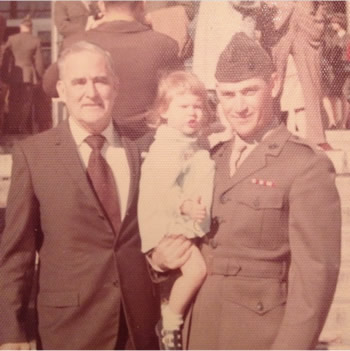
1973
Jack Knight, right, holding daughter Kim during graduation from OCS Quantico as second lieutenant.
Bill Evans, left, is Jack's father-in-law who was a corporal on the USS Augusta under Captain Lewis Burwell "Chesty" Puller in 1938.

2019
Jack Knight's business portrait. Jack has been a financial advisor for New York Life Insurance Company since 1987.
Use these arrows to navigate to the next screen.
Your Branch and Unit Affiliations
UnitTimeline.com only searches its own database, and returns only the information its members have entered into their UnitTimeline.com profiles and unit timelines.
Regarding your time in the service we ask only for high-level information: Which branches and units of the U.S. Armed Forces you served, dates of service, and primary role in each.
It's easy and should take just a few minutes during the registration process when you create your account.
Here's what it looks like:
NOTE: These are screens shots, not the actual interfaces.
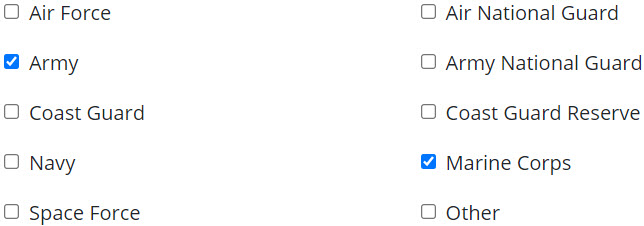
For each branch we ask about your starting and ending dates and primary roles.
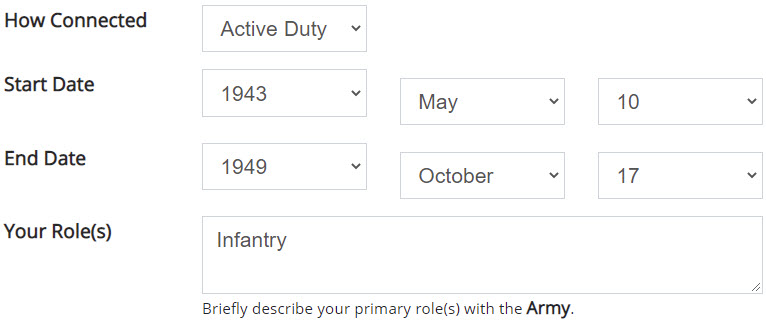
We also ask about the units in which you served, and ask for the same information: Unit names, starting and ending dates, and your primary roles per unit.
Use these arrows to navigate to the next screen.
Invitations
UnitTimeline.com is potentially a large community of veterans dedicated to preserving the history of units in the U.S. Armed forces.
As the number of UnitTimeline.com members grows, so too will the value of our community to each member.
Consider for example if UnitTimeline.com were to have five members. There would not be very much history preserved, and search results would usually come up empty. But if UnitTimeline.com were to have five million members, then a lot of history would be preserved, and search results would likely yield interesting results. And connections would be made between veterans that would likely never happen otherwise.
With the above in mind UnitTimeline.com offers an invitation management feature whereby you can easily recruit other veterans to join and register with UnitTimeline.com.
To send an invitation all you need to do is enter the recipient's first and last name, email address, and optional note.
When you click to send the invitation UnitTimeline.com will send an email message that introduces our service and gives them the opportunity to learn more and possibly join.
Use these arrows to navigate to the next screen.
Next Steps
Click here to see Tour 2: Preserving Unit Histories.
Click here to see Tour 3: Connecting With Other Veterans.
Start now by creating your account and registering your time in the U.S. Armed Forces.